
Using AI Image Generators Effectively
Learn how to effectively use AI image generators to create stunning, realistic images, logos, artworks, and more.
Just like AI assistants are revolutionizing text, image generators are changing the way we create visual content. They have long moved past the phase of "fun experiments" and have become powerful tools for professionals and creatives:
1. Marketing & Social Media at full speed
- Unique Content: Instead of generic stock photos, you create images that exactly fit your brand and your campaign – in seconds.
- Visualizing Ideas: Have an idea for a product or an event poster? Describe it, and the AI will create an initial visual draft (mockup).
2. Content Creation & Design
- Blog & Website Images: Create suitable header images or illustrations for your articles without running into copyright issues associated with image searches.
- Style Exploration: Test different artistic styles for a project – from photorealistic to 3D renders, oil painting, or cyberpunk aesthetics.
The CamoCopy AI Studio is your protected workshop for visual AI. Just as with the assistant, the rule here is: Uncompromising data privacy. Your generated images and uploaded photos belong to you and are not used to train the AI.
We offer you access to the latest and most powerful open-source models (such as FLUX or z-Image) without the need for expensive hardware or complicated software installations. Additionally, you can access Gemini's Nano Banana. Everything runs directly and securely in your browser.
For a long time, this was the "final boss" for AI image generators: text. When trying to generate a sign or a t-shirt with an inscription, the result was usually illegible gibberish.
That has changed. Modern Premium models in CamoCopy Studio are capable of precisely executing text instructions. This is a game-changer for marketing materials, invitations, or memes.
Example: You can command the AI: "A polar bear standing in front of a snow wall with the year '2026' carved into it in large letters." The result is a photorealistic image with the correct number.
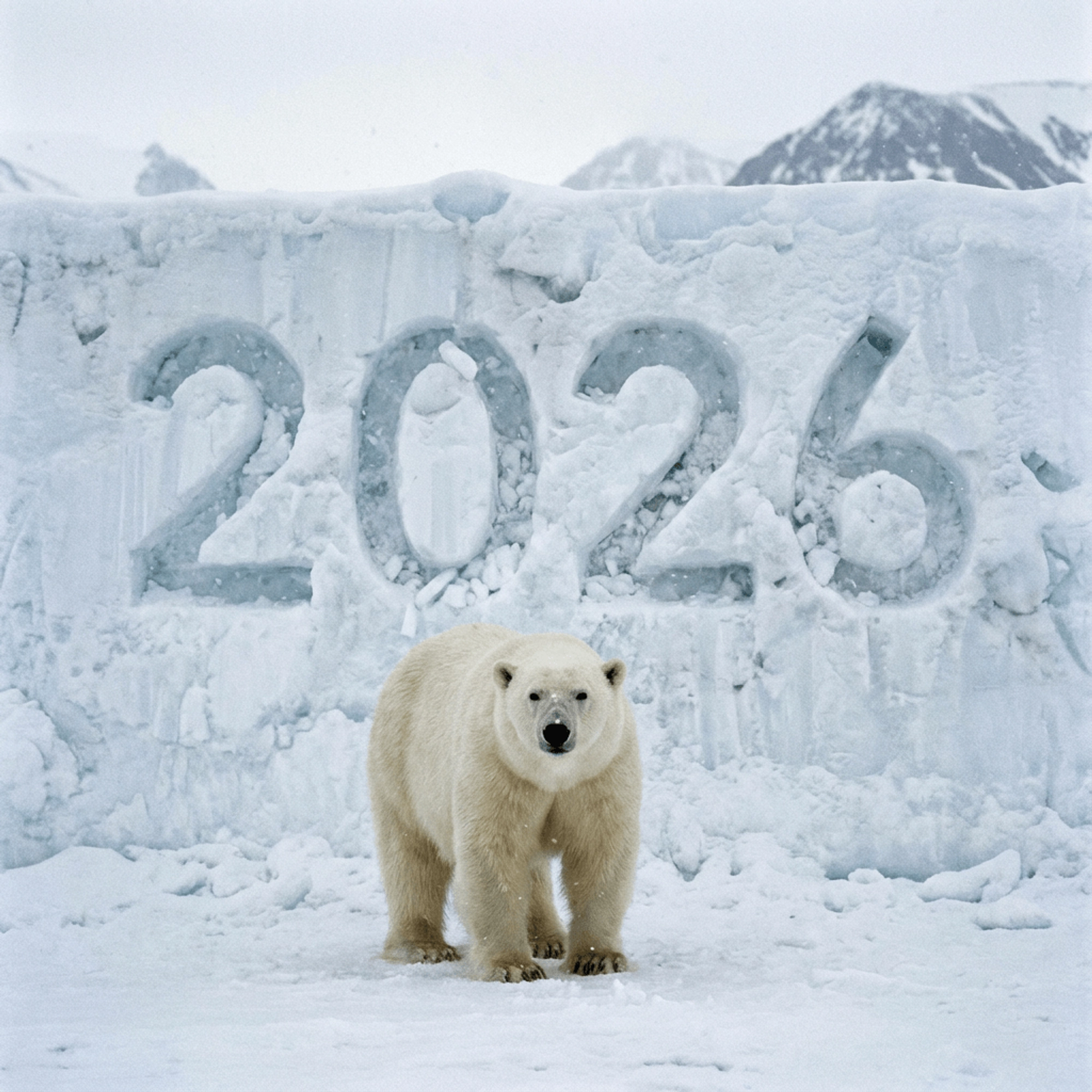
A milestone in AI: The correct rendering of text within an image. Here, the prompt "A polar bear in front of the number '2026' carved into snow" was implemented precisely and realistically.
The AI Studio is not just a "Text-to-Image" machine. One of its most powerful functions is Image-to-Image.
How it works:
You don't start with a blank sheet, but upload an existing image (your own photo or a previously generated image). Then you enter a text prompt describing how the image should be changed.
- Create Variations: "Take this picture of my dog, but turn it into an oil painting in the style of Van Gogh."
- Change Details: "Change the hair color of the person in the picture to blond" or "Turn the sunny day into a rainy night."
- Bring Sketches to Life: Upload a rough pencil sketch and let the AI turn it into a finished, colored image.
In the Studio, you have the choice. For quick ideas and simple illustrations, the "Standard" models are often sufficient. However, if you need photorealism, complex compositions, or – as mentioned above – text in the image, you should switch to the "Premium" models. These require slightly more computing power but deliver significantly more impressive results.
A good image depends 80% on the right "prompt" (the text description). Here are mistakes you should avoid:
✖ Mistake: Too vague descriptions ("A dog")
Why this is problematic: The AI has to guess. Which dog? Where? Which style? You get a generic result.
✓ Better: Be specific. "A Golden Retriever puppy playing in tall grass at sunset, photorealistic style, warm lighting."
✖ Mistake: Forgetting the style
Why this is problematic: Without a style specification, the AI often chooses a standard mix of photo and digital art.
✓ Better: Define the medium. Add to your prompt: "as a 3D render", "as an analog photo (grain)", "as a watercolor drawing", or "in cyberpunk style".
✖ Mistake: Contradictory instructions
Why this is problematic: "A minimalist image that is extremely detailed and full of objects" confuses the AI.
✓ Better: Decide on a clear visual direction.
✖ Mistake: Expecting perfection on the first click
Why this is problematic: AI art is an iterative process. The first image is rarely the final one.
✓ Better: Use the first result as a base and refine it using the Image-to-Image function and adjusted prompts.
"Tip: The AI Studio is your creative partner. The more precisely you describe what you see in your mind's eye, the more amazing the result will be."